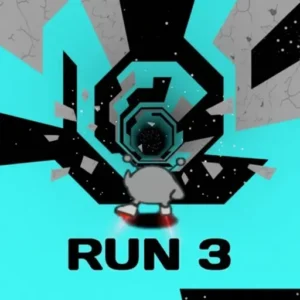
Run 3

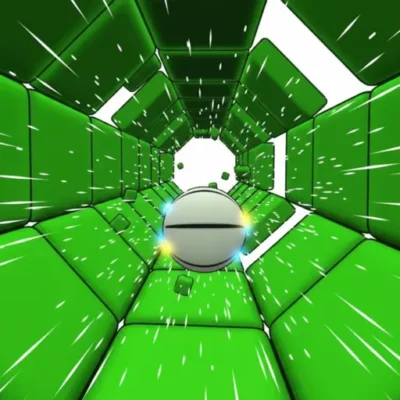



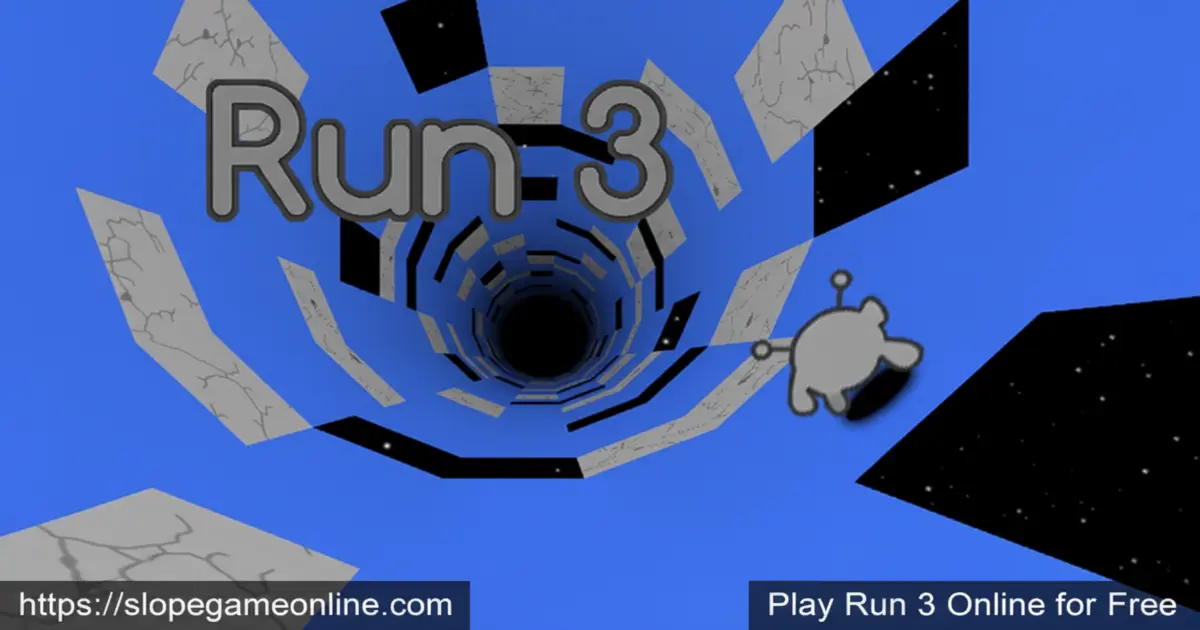
Play Run 3 Online for free! Dash along twisting space tunnels, dodge sudden gaps, and flip entire walls as gravity bends around you. This fast, skill-based runner is easy to learn but seriously hard to put down. You guide a tiny alien explorer through a drifting maze of tiles, choosing when to jump, when to turn, and when to risk a wild wall-run for extra safety. Whether you’re sneaking in a quick level between classes or grinding for new characters at home, Run 3 turns every second into a tense, heart-pounding adventure. 🚀
- Race through rotating 3D space tunnels that bend gravity around your runner.
- Unlock funny alien characters, each with unique abilities and stories.
- Swap between relaxed level-by-level play and intense endless running.
- Play instantly in your browser or on mobile with simple, kid-friendly controls.
What is Run 3?
Run 3 is a fast-paced running game where you control a small alien sprinting through crumbling tunnels in outer space. It was originally created by indie developer Joseph Cloutier and later published by Kongregate on the web and mobile. Instead of running on a flat road, you dash along the inside of hollow space tunnels whose walls you can use as a track. Every missing tile is a dangerous hole, and one wrong step sends you drifting into space. With hundreds of levels, story cutscenes, and unlockable characters, this Run 3 free game mixes simple controls with smart, tricky level design.
Run 3 Gameplay
In Run 3, you’re always moving forward, so your job is to react quickly and make smart choices. Tap jump to hop over small gaps, hold it to launch over huge holes, and run onto the walls to rotate the entire tunnel around you. When you play Run 3 online, each new tile appears seconds before you reach it, forcing you to plan ahead while still reacting fast. Some tunnels are packed with breakable tiles, ice, or moving platforms, so it almost feels like a wild stunt course in space. Many fans even nickname it Space Run 3 because of its glowing sci-fi setting.
Graphics and Sound
Run 3 uses clean, simple 3D graphics with bold shapes and bright outlines so you can instantly read each tunnel. The floating tiles, starry backgrounds, and smooth rotations make it feel like you’re racing through a giant space skate park. Characters are charming gray aliens with cute animations that stay clear even when the tunnel spins quickly. The soundtrack adds a cool, futuristic rhythm that matches the game’s pace, while jump and landing sound effects make every move feel satisfying. 🎧
Levels and Progression
Instead of a short list of stages, Run 3 gives you a big galaxy map made of branching tunnels. Each tunnel has its own style, like narrow strips, moving platforms, or crumbling paths that vanish after you step on them. As you pass difficult spots, the game saves your progress so you can continue from the latest checkpoint. Clearing certain tunnels unlocks side paths, new characters, and fresh challenges, so exploration really matters. The difficulty rises slowly at first, then turns into a serious test of timing and focus, rewarding players who keep practicing.
Game Modes in Run 3
Run 3 includes two main modes that feel very different but use the same controls. Explore Mode is the story-focused option where you travel across the galaxy map, unlock cutscenes, and discover new tunnels and characters. Infinite Mode is an endless challenge that generates fresh tunnel segments as you run. In Infinite Mode, a single fall ends your run, but you can collect power cells to continue with another character or save them to unlock new ones. Switch between modes whenever you like: Explore Mode for progress, Infinite Mode for pure high-score chasing.
Characters and Abilities
As you play, you unlock a whole crew of alien runners, each changing how Run 3 feels. The basic Runner is light and balanced, great for learning the game. The Skater slides further and handles like you’re biking or skateboarding through space, perfect for long jumps. The Lizard sticks to the floor more tightly, while the Bunny (or Rabbit) jumps extra high. Later, characters like the Duplicator, Angel, and Student introduce special abilities, such as cloning, floating, and pushing boxes. Choosing the right alien for a tricky tunnel can turn an impossible level into a smooth, stylish run.
Why Players Love Run 3
Players love Run 3 because it’s easy to start yet always gives you something harder to master. The controls are simple enough for younger kids, but the later tunnels challenge even older players. Runs are short, so it’s perfect for quick breaks, but it’s also addictive enough for long play sessions. Many kids first discovered it at school and still come back years later for the nostalgia, clever level design, and amazing soundtrack. It blends action, timing, and light puzzle-solving, so every new tunnel feels like a fun brain workout instead of simple button-mashing.
Events, Updates, and Challenges
Over the years, Run 3 has received updates that add more levels, achievements, and story scenes. Holiday events have changed the tunnel colors, dropped Easter eggs, and even unlocked seasonal skins like a Bunny costume. On mobile, new versions have rebalanced characters, added cloud saves, and fixed bugs to keep the game smooth. Achievements challenge you to complete certain tunnels, survive long runs, or experiment with specific characters. All of this gives you reasons to come back, improve your skills, and see what’s new in the galaxy.
Platform
You can play Run 3 directly in your web browser on desktop, laptop, tablet, or mobile.
How to Play Run 3?
Playing Run 3 is all about timing your jumps and using the tunnel walls wisely. On a computer, you move with the arrow keys or WASD and jump with the up arrow or spacebar. A quick tap gives you a short hop, while holding the key makes a long, floaty jump. Stepping onto the side walls rotates the tunnel, turning dangerous gaps into safe ground. On Run 3 mobile, you use on-screen buttons or simple taps to do the same moves, so you can dodge holes and rotate the tunnel even when you’re away from your keyboard.
Instructions and Controls
- ← / → – Move left or right along the tunnel
- ↑ or Space – Jump over gaps and obstacles
- A / D – Alternate keys to move left or right
- P – Pause or unpause your current run
- R – Restart quickly after a fall
- Tap / Swipe – Use touch controls and menus on Run 3 mobile
Tips and Tricks for Run 3
- Look ahead and plan your next two jumps instead of staring only at your character. ⭐
- Use quick tap jumps for tiny gaps and longer holds when you need to cross wide missing sections.
- Run onto the walls to rotate the tunnel and turn scary holes into safe platforms.
- Play Infinite Mode to practice tricky patterns and earn power cells at the same time. 💡
- Switch characters when you’re stuck; some aliens are better on ice, breakable tiles, or box puzzles than others.
Features of Run 3
- Hundreds of thrilling space tunnels with unique layouts and challenges
- Two main modes: Explore story mode and endless Infinite Mode
- Many unlockable alien characters, each with special abilities and playstyles
- Fast browser and mobile gameplay with simple, responsive controls
- 100% free to play, with optional power cell purchases on mobile
Run 3 Online
Run 3 online loads right in your browser, so you can start running through space in seconds. There’s no need to install big files or wait through long setup screens. Just press play, place your fingers on the arrow keys, and you’re instantly racing through rotating tunnels. Because everything runs on modern web technologies, it works with most up-to-date browsers, making it perfect for quick sessions on shared or school computers.
Run 3 for Free
You can enjoy the full core experience of Run 3 for free, including Explore Mode, Infinite Mode, and character unlocks. On the browser, there are no sign-ups required and no paywalls blocking the main story. On mobile, the game is also free to install, with optional in-app purchases if you want extra power cells faster. That means you can focus your energy on surviving jumps and perfecting runs instead of worrying about your wallet.
Download Run 3
On Android
On iPhone or iPad
APK Run 3
If you’re looking for a Run 3 download as an APK, it’s safest to stick with the official app stores. Unofficial APK files can be outdated or unsafe for your device. Instead, install Run 3 from the Google Play Store on Android or the App Store on iOS, so you always get the latest, most stable version.
On PC
On PC or a laptop, just open your browser, search for Run 3, and launch the game in a tab. It works smoothly on modern versions of Chrome, Edge, and other major browsers, letting you use your keyboard for tight, precise control. No extra launcher, no huge install, and no powerful gaming computer required.
Can You Play Run 3 Unblocked?
In many schools and libraries, you can play Run 3 unblocked right in the browser as long as gaming sites are allowed. Because it runs in HTML5 instead of old Flash, it usually works even on locked-down machines that don’t let you install software. If your network allows it, you can enjoy the full game on https://slopegameonline.com. Always make sure you follow your school’s rules about when and where you can play.
Run 3 Unblocked 76
Some students search for “Run 3 Unblocked 76” to find versions that work on strict school networks. These are simply browser versions of the same game hosted on sites that might bypass certain filters. For the best, safest experience, use trusted gaming portals that keep the game up to date and smooth.
Run 3 Extension
On some browsers, you may find a Run 3 extension that lets you open the game quickly from your toolbar. If you choose to use one, install it only from your browser’s official extension store and check the reviews first. That way, you can jump into a space run with a single click.
Similar Games to Run 3
If you’re a fan of Running Games, you’ll definitely enjoy these too:
- Slope
- Slope 2
- Tunnel Rush
- Run 2
FAQs About Run 3
What is the main goal in Run 3?
The goal is to guide your alien safely through endless space tunnels without falling into the gaps. Each tile you cross moves you deeper into the galaxy and closer to new levels, characters, and cutscenes. You win by surviving tricky layouts and reaching new checkpoints, not by fighting enemies.
Can I still play Run 3 without Flash?
Yes. Run 3 used to require Adobe Flash, but it has been rebuilt with modern technology, so it runs in your browser without plugins. As long as your browser is updated, you can launch the game and play instantly with no extra installs.
How old is Run 3?
Run 3 first appeared around 2014, and it’s been updated many times since then. Even though it’s more than a decade old, new players still discover it at school and at home because the gameplay feels modern and timeless.
Is the main Run 3 character a girl?
Yes. The first character you control is called the Runner, and she’s a girl alien in a space suit. Later, you unlock many more characters, like Skater, Lizard, Bunny, Angel, and Student, each with their own story pieces and abilities.
What is the difference between Explore Mode and Infinite Mode in Run 3?
Explore Mode gives you a map of tunnels to beat one by one, unlocking new paths, stories, and characters. Infinite Mode is an endless race where the tunnel keeps generating, and your only goal is to survive as long as possible while collecting power cells for upgrades.
How do you unlock new characters in Run 3?
You unlock many characters by completing specific tunnels on the galaxy map or finding secret paths. Others can be unlocked by spending power cells you earn in Infinite Mode, by achievements, or by special events, so it always feels rewarding to keep running.
Can I play Run 3 mobile on my phone or iPad?
Yes. There is a Run 3 mobile version that lets you play on phones and tablets, including on an iPad. You use touch controls instead of keys, but the levels, characters, and story are very close to the browser version.
Is Run 3 unblocked at school?
That depends on your school’s filters. Many students search for Run 3 unblocked to enjoy the game during breaks on sites that allow it. Because it’s known as a brainy runner on Run 3 cool math Games style websites and even on Run 3 math playground style portals, lots of schools do allow it, but you should always follow your school’s rules.
Why does Run 3 sometimes lag or crash on my device?
Most lag comes from an older browser, too many background tabs, or a slow connection on mobile. Close extra apps or tabs, update your browser or game app, and lower any extra visual effects if available. On phones, restarting the app usually fixes random crashes.
Is Run 3 safe and appropriate for kids?
Yes. Run 3 has no violence, bad language, or scary jumpscares, and it’s rated for young players. The challenge comes from timing, focus, and planning, so it actually helps build problem-solving skills while still feeling fast and exciting.
Conclusion
Run 3 turns a simple idea—running forward and jumping over holes—into an exciting space adventure full of surprises. With rotating tunnels, clever level design, and a whole cast of alien characters to discover, it stays fun long after your first run. Whether you’re playing on a school computer, a home PC, or your favorite mobile device, this endless runner is ready whenever you are. Hit play, trust your timing, and see how far you can race through the stars today.
Gameplay Video