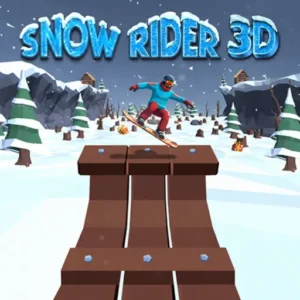
Snow Rider 3D
Play Snow Rider 3D Online for free! Jump onto a speedy sled and rocket down a never-ending snowy mountain, dodging trees, cabins, and giant rolling snowballs while you chase shiny gift boxes. In this fast, kid-friendly winter racing game, every run feels different, so you’ll always have a new line to master and a new high score to beat. The simple controls make it easy to get started, but the increasing speed keeps it exciting for pros. Whether you’re on a school Chromebook, tablet, or home PC, you can play Snow Rider 3D online in seconds and chill out between classes. ❄️
- High-speed sled racing down endless snowy slopes.
- Simple controls that feel great on keyboard, mouse, or touch.
- Collect gifts to unlock cool new sleds and surprises.
- Play Snow Rider 3D unblocked at school or home with no downloads.
What is Snow Rider 3D?
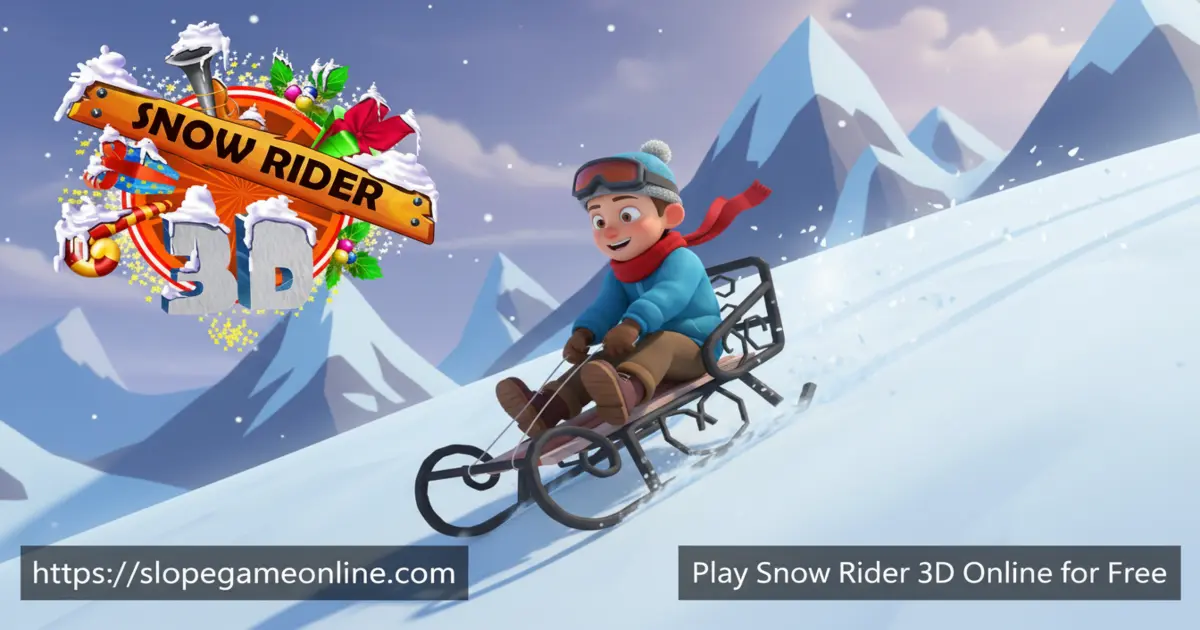
Snow Rider 3D is a fast, endless downhill sledding game where you guide a sleigh through a snowy mountain full of obstacles and gifts. The original browser version was created in 2020 by the math-game studio Hooda Math, which is why some kids know it as Snow Rider 3D Hooda Math. Since then, it’s become a huge winter hit across browsers and mobile devices, mixing simple arcade rules with smooth 3D graphics and super-quick restarts. Your goal is to slide as far as possible without crashing, collect as many presents as you can, and use them to unlock fun sled designs while chasing your best score.
Snow Rider 3D Gameplay
Each run in Snow Rider 3D starts with your sled quietly gliding down a snowy hill. Within seconds, the speed ramps up, and the slope fills with trees, rocks, cabins, snowmen, and rolling snowballs. You steer left and right, time jumps, and weave between obstacles while lining up gift boxes. One tiny mistake ends the ride, but you can restart instantly and try a new path. There are no levels to tick off, just a super-addictive endless run that encourages you to beat your distance record again and again, whether you’re playing the browser version or Snow Rider 3D unblocked on a school device.
Graphics and Sound
Snow Rider 3D uses bright, clean 3D graphics that make the whole mountain feel like a cozy winter holiday. Snow sparkles, trees rush past, and the distance fades into soft white fog so you can focus on the next obstacle. Festive colors make every gift box pop on the snow, and the smooth animations keep your sled feeling fast while still being readable. Simple sound effects add to the excitement without being too loud or distracting, so it’s friendly for classrooms and family spaces. 🎄
Levels and Progression
Instead of classic “Level 1, Level 2,” Snow Rider 3D works like an endless runner. The farther you go, the more intense the ride becomes. Speed gently increases, obstacles appear in trickier patterns, and you’ll start seeing tight gaps and surprise jumps that demand fast reactions. As you collect gifts across many runs, you unlock new sleds and chase bigger goals, such as reaching a certain distance, dodging a number of snowballs, or collecting streaks of presents. Some versions even include dozens of achievements and a Hard Mode for players who want an extra-tough challenge.
Achievements and Rewards
Snow Rider 3D rewards you for more than just staying alive. Many versions of the game include achievement-style goals, like traveling a specific distance, collecting gifts in a row without crashing, or surviving tough obstacle combos. Unlocking these achievements feels like ticking off mini-missions and gives you new challenges to aim for each session. Gifts you pick up on the slope also act as currency. Save enough and you can unlock special sleds, each with its own fun look, so your runs feel more personal and exciting.
Customization and Sled Collection
One of the coolest parts of Snow Rider 3D is choosing your ride. Starting with a simple wooden toboggan, you can later unlock metal sleds, round tubes, chrome sleighs, and even Santa-style sleighs using the presents you’ve collected. These sleds mostly change the style and feel of your run rather than adding confusing stats, which keeps things fair for everyone. Kids get a clear goal: collect gifts, unlock a new sled, show it off, and then chase the next one. It turns every present on the track into a tiny burst of motivation.
Why Players Love Snow Rider 3D
Players describe Snow Rider 3D as relaxing and exciting at the same time. Runs are quick, so it’s perfect when you have a few spare minutes, but the rising speed keeps your heart racing. Lots of kids say it helps them cool down when they’re stressed, and it’s easy to share the fun by challenging friends to beat their score on the same device. Web versions keep things light with instant restarts, while the mobile app offers optional second-chance revives. Because the game is rated for younger players and has simple controls, it’s a great pick for families and classrooms.
Platform
You can play Snow Rider 3D directly in your web browser on desktop, laptop, tablet, or mobile, and you can also enjoy the official app versions on Android and iOS if you prefer to download.
How to Play Snow Rider 3D?
Playing Snow Rider 3D is easy to learn but tricky to master. You control a sled that moves forward automatically down a snowy hill. Your job is to steer, time jumps, and choose safe lines between obstacles while grabbing as many presents as you can. Hitting a tree, rock, cabin, snowman, or rolling snowball ends your run. In some school setups, you might see it called Snow Rider 3D Classroom 6x or played through Google Classroom, but the rules stay the same: stay calm, look ahead, and react early instead of waiting until the last second.
Instructions and Controls
- Left Arrow / A – Steer left
- Right Arrow / D – Steer right
- Up Arrow / W / Space – Jump over small obstacles and rolling snowballs
- Esc – Pause or open the in-game menu (in supported versions)
- Enter / Mouse Click – Start or resume your sled run
- R – Restart quickly after a crash (browser versions)
Tips and Tricks for Snow Rider 3D
- Keep your sled near the center of the slope so you can dodge dangers from both sides.
- Look far ahead, not just at the sled, to spot trees, cabins, and snowballs early. 👀
- Don’t jump at every obstacle; save jumps for tight spots or rolling snowballs.
- Only go for gifts when the path is safe; surviving longer often earns more presents overall. 🎁
- Take short breaks if you get frustrated—coming back calm usually leads to a new high score.
Features of Snow Rider 3D
- Fast, endless downhill sled racing with rising difficulty.
- Simple one-touch or arrow-key controls that feel great for beginners.
- Unlockable sled collection using gifts you earn in-game.
- Instant restarts and quick sessions that fit into busy school days.
- 100% free to play in your browser, with no account needed.
Snow Rider 3D Online
When you play Snow Rider 3D online in your browser, there’s nothing to install and no waiting for updates. The game loads right on the page and works smoothly on most modern devices, including Chromebooks. Your progress is based on your skills, not on saving files, so you can jump in from almost any computer and immediately try to beat your previous best distance. It’s a great pick for a quick, safe brain break between homework tasks.
Snow Rider 3D for Free
Snow Rider 3D is a truly free game when you play in the browser. You don’t need to sign up, enter an email, or pay a subscription; you just press play and start sledding. The mobile versions also let you enjoy Snow Rider 3D for free, supported by short ads, especially if you choose a second-chance revive. Either way, you can try as many runs as you like without spending money.
Download Snow Rider 3D
On Android
Download on Google Play to enjoy Snow Rider 3D on your Android phone or tablet, with touch controls, optional revives, and regular bug fixes and updates.
On iPhone or iPad
Download on the App Store to play Snow Rider 3D on iOS. The app is rated 4+ and includes new sleds, achievements, Hard Mode, and improvements based on player reviews.
APK Snow Rider 3D
You might see “Snow Rider 3D download” or APK files on random websites, but the safest way to get the game is through the official Google Play and App Store pages. Avoid unofficial APKs or Snow Rider 3D GitHub projects, because they may be outdated, changed, or unsafe for your device.
On PC
On PC, Mac, or Chromebook, the best way to enjoy Snow Rider 3D is right in your browser on slopegameonline.com. Just open the game page, press play, and use your keyboard to steer. No installation, no heavy launcher—just smooth sledding.
Can You Play Snow Rider 3D Unblocked?
Yes! You can play Snow Rider 3D unblocked on many school and library networks because it runs directly in the browser and doesn’t need extra downloads. On slopegameonline.com, the game is designed to work well on classroom laptops and Chromebooks, making it perfect for short breaks or reward time. If a certain network blocks one version, you can usually try again later or from a different device.
Snow Rider 3D Unblocked 76
Lots of players search for terms like Snow Rider 3D Unblocked 76 when they simply want a clean, school-friendly version of the game. No matter what number or tag you add, what you’re really looking for is fast browser access, simple controls, and no tricky installers. That’s exactly what you get when you play from a trusted unblocked games page like the one on slopegameonline.com.
Snow Rider 3D Extension
Some browsers let you install game extensions so you can open your favorite titles with one click. If an official Snow Rider 3D extension appears in your browser’s extension store, always check that it comes from a trusted publisher and has good reviews before installing. Until then, it’s just as easy to bookmark the game page and launch your next sled run from there.
Similar Games to Snow Rider 3D
If you’re a fan of Racing Games, you’ll definitely enjoy these too:
- Moto X3M 5: Pool Party
- Moto X3M Spooky Land
- Moto X3M Winter
- Slope
FAQs About Snow Rider 3D
Is Snow Rider 3D safe and suitable for my age?
Yes. Snow Rider 3D is designed for kids and families, and the mobile app version is rated for ages 4+ on major app stores. There’s no violence or chat, just fast sledding and obstacle-dodging. Players in elementary and middle school enjoy it a lot, and many teachers use the original Snow Rider 3D Hooda Math version as a calm, skill-based break.
How do you control the sled in Snow Rider 3D?
On a computer, you usually steer with the Left and Right Arrow keys or A and D. Press the Up Arrow, W, or Space to jump over small obstacles and rolling snowballs when the version supports it. On phone or tablet, you may tilt your device, drag your finger, or tap on-screen arrows to turn and jump. You can always check the settings menu in your version to see the exact controls.
Can I play Snow Rider 3D unblocked at school or through Classroom 6x?
Many schools allow Snow Rider 3D unblocked because it runs in the browser and uses simple graphics. Some students reach it through Snow Rider 3D Classroom 6x pages or links shared in Google Classroom. If your school blocks one site, try using slopegameonline.com instead or ask your teacher if there’s an approved games list you can use.
How do I unlock new sleds in Snow Rider 3D?
While you race, you’ll see colorful gift boxes on the track. Every gift you grab is added to your total. When you collect enough, you can open the sled menu and spend your gifts on new sleds, such as metal sleighs, Santa sleighs, or fun round tubes. Unlocking sleds doesn’t usually make the game unfair; it just lets you show off your style.
Is there a way to download Snow Rider 3D or use an APK safely?
The best way to download Snow Rider 3D is from the official Google Play and App Store links. Those versions are updated by the real developer and are checked for safety. Random APK files or fan-made Snow Rider 3D GitHub projects might be changed or unsafe, so kids should avoid them and stick to trusted stores or the browser version.
What is Snow Rider 3D pizza edition?
Snow Rider 3D pizza edition is a fun nickname some players use for themed or fan-edited versions of the game. The core idea is still the same: sled down the hill, dodge obstacles, and collect gifts. There isn’t one official “pizza edition,” so if you see that name online, remember it’s just a playful way to talk about Snow Rider 3D, not a separate official release.
Why does Snow Rider 3D sometimes feel slow or show so many ads?
On the web, Snow Rider 3D usually reloads almost instantly with very short or no ads at all. On mobile, you may see more ads, especially if you choose a second-chance revive after crashing. These ads help keep the game free. If it feels slow, try closing other apps, checking your internet connection, or updating to the newest version, which often fixes lag and loading issues.
Does Snow Rider 3D help with learning or is it just fun?
Snow Rider 3D is mainly a fun winter racing game, but it can also train useful skills. Dodging obstacles and planning your path improves hand–eye coordination, reaction speed, and focus. The original Hooda Math version was even listed with math practice standards, because it encourages logical thinking, pattern spotting, and quick decision-making—while still feeling like pure play.
Can I play Snow Rider 3D with friends?
Snow Rider 3D doesn’t use online multiplayer or global chat, but it’s still great for friendly competition. You and your friends can take turns on the same device, write down your best distance and score, or try mini-challenges like “no jumping this run” or “collect at least 30 gifts.” Some classrooms even keep a Snow Rider 3D high-score board to celebrate new records.
Does Snow Rider 3D have an ending or a world record?
No, Snow Rider 3D is an endless runner, so the mountain never truly ends. The real goal is to beat your own best score and unlock your favorite sleds. Some players share huge scores online, but there’s no official world record list. Instead of worrying about the “perfect” number, focus on staying calm, learning obstacle patterns, and improving a little bit each day.
Conclusion
Snow Rider 3D turns a simple sled ride into a thrilling, endless winter adventure that fits perfectly into short breaks or long play sessions. With easy controls, unlockable sleds, and fast restarts, it’s a great choice for kids who love racing games and snowy worlds. Ready to test your reflexes, chase gifts, and set a new distance record? Hit play and start carving your path down the mountain today! ⛄
Gameplay Video