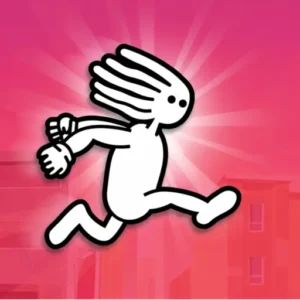
Dreadhead Parkour





Play Dreadhead Parkour Online for free! Dash, flip, and slide through explosive parkour courses as the coolest runner in town. This fast, skill-based platform game drops you into short levels packed with traps, coins, and giant jumps. Your mission is simple: reach the flag, collect every coin you can, and survive with style. Controls are easy to learn, so younger players can jump in, but mastering perfect timing feels super satisfying. Whether you play Dreadhead Parkour online at home, on a tablet, or on a school Chromebook, every run is a fresh challenge. 😄 Get ready to test your reflexes and see how hardcore your parkour really is.
- Fast parkour levels you can finish in under a minute.
- Simple WASD or arrow-key controls that feel smooth and responsive.
- Coins and stars to unlock fresh Dreadhead outfits and styles. ⭐
- Works great in the browser on school Chromebooks, tablets, and PCs.
What is Dreadhead Parkour?
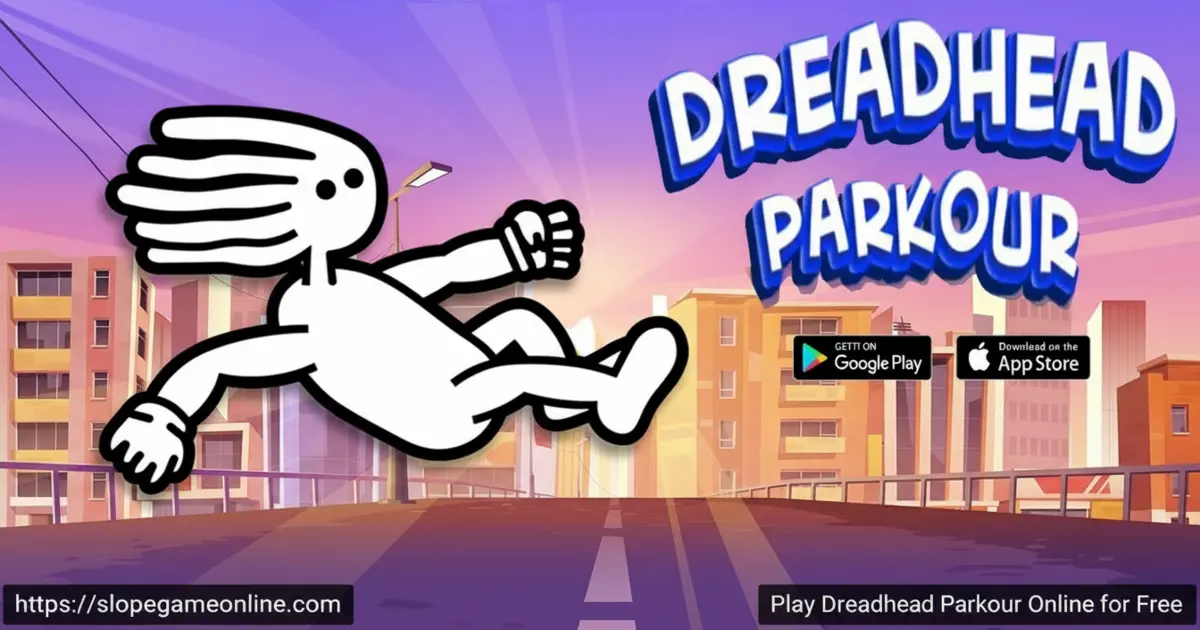
Dreadhead Parkour is a side-scrolling parkour and running game created by GameTornado, the studio behind many popular physics adventures. You control a stylish hero with bright dreadlocks and race through urban-style obstacle courses full of spikes, bombs, pits, and moving traps. First released as a browser game and later on mobile, Dreadhead Parkour has become a favourite among kids who enjoy quick, retry-friendly levels rather than long story modes.
Dreadhead Parkour Gameplay
In Dreadhead Parkour gameplay, you sprint, jump, and slide across platforms while the screen constantly pushes you forward. Tapping jump at the right moment lets you chain frontflips and backflips over huge gaps, while sliding takes you safely under low ceilings and tricky traps. You’ll spot glowing coins on almost every ledge; grabbing them raises your score and unlocks new skins. When you play Dreadhead parkour online, the restart is instant, so it never feels bad to miss a jump—you’re back at the last checkpoint in a second.
Graphics and Sound
The graphics are bright and clean, with bold colours that make every bomb, spike, and platform easy to see. Smooth animations keep Dreadhead’s flips and slides feeling stylish and satisfying. Explosions, coin pickups, and checkpoints all have punchy sound effects, while the upbeat background music adds just enough energy to keep you focused without being annoying. It feels like a tiny action cartoon you can control. 🎧
Levels and Progression
Dreadhead Parkour is built around short, tightly designed levels that get tougher as you improve. Early stages teach you basic jumps and slides, while later ones mix in moving platforms, disappearing blocks, and dangerous sawblades. As you clear more levels, you’ll collect stacks of coins that you can trade for new character skins and outfits. On mobile, recent updates have added dozens of new stages and extra skins, so it almost feels like getting a Dreadhead Parkour 2 inside the same game.
Skins, Customization, and Rewards
Every run you finish in Dreadhead Parkour earns you coins, and those coins unlock cool cosmetic rewards. You can switch between outfits, colours, and themes for your Dreadhead, turning him into a superhero, an athlete, or whatever style you prefer. Some levels hide bonus stars or extra-hard coin lines; grabbing them all is perfect for kids who love 100% completion. The more you play, the more your character looks like a true parkour legend.
Game Modes and Challenges
The main mode of Dreadhead Parkour is a long chain of handcrafted levels, but the real fun comes from the challenges you set for yourself. Try speedrunning a stage without stopping, collecting every coin, or finishing without taking a single hit. Many players create their own rules, like “no slide button” or “jump only when you have to.” This makes each level replayable and keeps the game feeling fresh even after you’ve mastered the basic route.
Why Players Love It
Kids love Dreadhead Parkour because it hits a sweet spot: it’s not too easy, not too hard, and always fast. Levels restart instantly, so mistakes turn into quick learning moments instead of frustration. Short sessions make it perfect for study breaks, bus rides, or waiting in line. On mobile, there aren’t too many ads, and on the browser, you can just press play and jump right into the action. Parents like that it’s skill-based, with no chatting and no scary content. 👍
Platform
You can play Dreadhead Parkour directly in your web browser on desktop, laptop, tablet, or mobile. There’s no heavy download needed for the online version, and the official apps let you enjoy the same parkour fun on phones and tablets.
How to Play Dreadhead Parkour?
Playing Dreadhead Parkour is all about timing, reflexes, and a little bit of bravery. Your goal on every level is to reach the finish flag without hitting spikes, bombs, or other traps along the way. You’ll run across rooftops, leap over gaps, and slide under low ceilings while collecting as many coins as possible. Whether you’re trying Dreadhead parkour unblocked at school or relaxing at home, remember: slow down when a level looks scary, watch the pattern, and then move with confidence.
Instructions and Controls
- A / ← – Move left
- D / → – Move right
- W / ↑ / Space – Jump
- S / ↓ – Slide or duck
- R – Restart the current level
- Esc or P – Pause the game
Tips and Tricks for Dreadhead Parkour
- Watch the floor carefully; tiny spikes and mines are easy to miss when you rush. ⚠️
- Tap jump for short hops and hold it longer for big leaps over wide gaps. 🕹️
- Use slides right before low ceilings so you don’t accidentally hit your head.
- Memorise tricky parts of each level; on your second or third try, you’ll blast through them.
- Grab hard-to-reach coins to unlock skins faster and show off your parkour skills.
Features of Dreadhead Parkour
- Dozens of thrilling parkour levels with increasing difficulty.
- Explosive traps, spikes, saws, and moving platforms to test your timing.
- Unlockable skins and outfits so your Dreadhead feels unique.
- Fast browser gameplay that runs smoothly on most school and home devices.
- 100% free to play online, with optional extras only in the mobile apps.
Dreadhead Parkour Online
The browser version lets you jump into Dreadhead Parkour online in just a few seconds—no accounts, no launchers, and no waiting. It’s perfect for quick sessions, and it works well even on modest laptops or classroom Chromebooks. Many kids search for “Dreadhead parkour Slope” when they want a speedy, skill-based game, and this version delivers that same smooth, reaction-focused feeling.
Dreadhead Parkour for Free
You can enjoy the full Dreadhead Parkour free game experience right in your browser without paying anything. On mobile, the game itself is also free to download and play, with optional in-app purchases if you want to support the developer or grab extras faster. Either way, you can practice parkour, chase high scores, and unlock skins without spending money.
Download Dreadhead Parkour
On Android
Download on Google Play to get the official Dreadhead Parkour app on your Android phone or tablet. You’ll get smooth controls, regular updates, and all the newest levels straight from the creators.
On iPhone or iPad
Download on the App Store to run, flip, and slide on iOS. The Apple version includes tons of levels, extra skins, and improved controls tuned for touch screens.
APK Dreadhead Parkour
If you search for “Dreadhead Parkour download” or “APK Dreadhead Parkour,” always be careful. The safest choice is to install the game only from official stores like Google Play and the App Store. That way, you avoid broken or unsafe files and always get the latest version from GameTornado.
On PC
On PC or laptop, you don’t need a special Dreadhead Parkour download. Just open your browser, load the game, and play with your keyboard. Some players also like to add the game as a shortcut or use a browser extension, so Dreadhead Parkour is just one click away whenever they want a quick parkour run.
Can You Play Dreadhead Parkour Unblocked?
Yes! You can play Dreadhead Parkour unblocked on many school and work networks, including right here on slopegameonline.com. The game runs directly in the browser, so there are no extra plugins to install and nothing to block. If your school allows skill and running games, there’s a good chance this one will work—just make sure you’ve finished your homework first.
Dreadhead Parkour Unblocked 76
When kids search for “Dreadhead Parkour unblocked 76,” they’re usually looking for a version that works on school computers. That phrase comes from popular unblocked game sites, but you don’t need a special edition to enjoy the same gameplay. As long as your network allows it, the regular browser version here gives you smooth, fast parkour with the latest updates.
Dreadhead Parkour Extension
There is also a Dreadhead Parkour extension on some browser stores that lets you launch the game from your toolbar. Installing an official extension can make the game easier to launch and, in some cases, even help it run offline. Always check that the extension clearly focuses on the game, has good reviews, and doesn’t ask for strange permissions before you add it.
Similar Games to Dreadhead Parkour
If you’re a fan of Running Games, you’ll definitely enjoy these too:
- Moto X3M 5: Pool Party
- Moto X3M Spooky Land
- Snow Rider 3D
- Big Ice Tower Tiny Square
FAQs About Dreadhead Parkour
What is Dreadhead Parkour?
Dreadhead Parkour is an epic running and parkour game where you guide a dreadlocked hero through dangerous obstacle courses. You jump, slide, and flip past traps while collecting coins and trying to reach the finish flag as quickly as possible.
How does Dreadhead Parkour differ from real-life parkour?
Real-life parkour happens in the real world, with real risks. Dreadhead Parkour lets you enjoy the same idea—running, climbing, and flipping over obstacles—but in a safe, cartoon-style game. You can take crazy jumps, explode in funny ways, and instantly retry without getting hurt.
Is Dreadhead Parkour free to play?
Yes, you can play Dreadhead Parkour for free online in your browser. The mobile versions on Android and iOS are also free to download and play, with optional in-app purchases for extras like removing ads or unlocking content faster.
Can I play Dreadhead Parkour on mobile, tablet, and Chromebook?
Absolutely. Dreadhead Parkour works in modern browsers on Chromebooks, Windows laptops, and Macs. You can also install the official apps on Android phones, iPhones, and iPads for smooth touch controls on the go.
What are the controls for Dreadhead Parkour?
On keyboard, use A and D or the arrow keys to move, W or the up arrow or Space to jump, and S or the down arrow to slide. On mobile, you’ll tap on-screen buttons to run, jump, and slide instead. It only takes a few tries to feel natural.
Can I play Dreadhead parkour unblocked at school?
In many schools, yes. Because Dreadhead Parkour runs straight in the browser, it often works where other games are blocked. If your school blocks most game sites, you might not be able to reach it, but if you can open slopegameonline.com, there’s a good chance you can play.
What is Dreadhead Parkour 2?
Right now, there isn’t an official separate game called Dreadhead Parkour 2 from GameTornado. People use that name because new updates and extra levels make the original game feel like a big sequel. If you see random sites offering a “Dreadhead Parkour 2” download, be careful and stick to official versions.
What is Dreadhead parkour Pizza Edition?
“Dreadhead parkour Pizza Edition” is a fun phrase players use for fan-made ideas or joke versions of the game. The main Dreadhead Parkour you play here is the official version, with polished levels and balanced difficulty, even if there’s no actual pizza level yet.
Is Dreadhead Parkour GitHub safe to use?
Sometimes people upload fan projects or code related to the game on GitHub and call it Dreadhead Parkour GitHub. These versions aren’t official and may not be safe. For kids, the best choice is always the browser version here or the official apps from Google Play and the App Store.
Why did my character die when I slid under an obstacle?
This usually happens when you slide a little too late or too early, so part of your character still touches the hazard. In Dreadhead Parkour, timing matters a lot. Try sliding slightly sooner, and make sure you stay low until you’re fully past the dirt, spikes, or saw.
What can I do if I’m stuck on a level?
If a level feels impossible, slow down and watch how the traps move before you rush in. Practice tricky parts in short bursts, focus on learning the pattern, and don’t worry about collecting every coin right away. Once you can finish the stage safely, go back and replay it to complete it 100%.
Does Dreadhead Parkour save my progress?
Yes. In the browser, your progress is usually saved locally, so coming back to the same device will keep your unlocked levels. On mobile, the app stores your progress even if you close it, so you can continue right where you left off..
Conclusion
Dreadhead Parkour is a fast, fun, and replayable parkour adventure that’s perfect for kids who love a challenge. With simple controls, tons of levels, and loads of coins and skins to unlock, there’s always a new goal to chase. Fire it up in your browser or download the official app, practice your timing, and see if you can become the smoothest parkour runner in town.
Gameplay Video